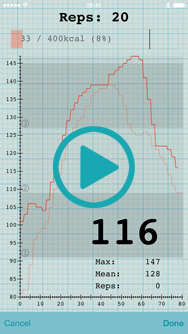
Looking to view heart rate data you’ve already recorded from your Apple Watch? This tutorial shows you how, but you must ensure that Heart Graph is integrated with the Health app first! 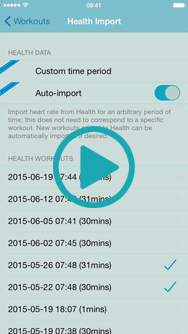
All posts by The Smoky Cat
Review a Previous Workout

Recording resting heart rate
Resting heart rate can give you an indication of your fitness and general health. Heart Graph can record your minimum heart rate, either stopping automatically after 10 minutes, or recording indefinitely (for example to record your heart rate while you sleep); you can then compare this value with other workout statistics.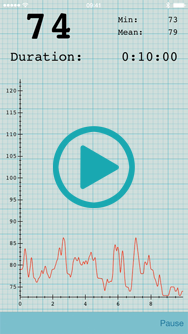
Compare workout statistics
Once you have data from several workouts recorded in the app, you can compare statistics to spot trends in your training, health and fitness. You may also find it interesting to view resting heart rate values as described in Recording resting heart rate.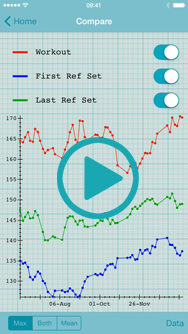
Compare workout graphs
If you are recording heart rate data for similar sessions, it can be useful to compare the entire workout graphs, for example to see whether there is a global change in heart rate, or an increase in recovery time between sets.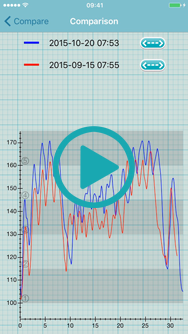
Comparing reference sets
Once you’ve started using a standard “reference set” in each of your workouts, you can compare your heart rate during this set between sessions. This comparison can help highlight differences in your body, for example improving fitness or the onset of a illness such as a cold.
Create a planned workout
Heart Graph allows you to design your workouts up-front, and then execute them when you want to do the session, so you don’t have to think about what to do next while you’re exercising.
Using a previously planned workout

Define your own reference set details
You can choose the details of your own standard “reference set” to suit your workout, for example by having a set of a fixed time, as shown in this video.
Creating reference sets
Heart Graph uses a short, standard “reference set” to help fairly compare workouts. Your heart rate from a reference set at the start of every workout provides a constant baseline, while a reference set at the end of the workout can suggest how much impact that workout has had on your body. This tutorial shows you how to create the baseline heart rate graphs to compare future workouts against.