Heart Graph v3.10 released

We are pleased to announce that Heart Graph v3.10 is now available on the App Store. New features include:

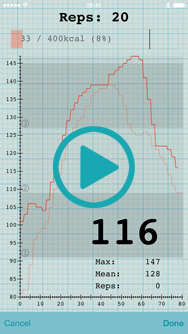
  • Compare the graphs of entire workouts displayed on the same axes
  • Prevent the graph compressing during longer workouts by choosing to view a window onto only the most recent data
  • Minor UI enhancements, including use of more legible fonts and updated app icon
  • Now access email and Dropbox export settings directly from the Workout view
  • Allow resting heart rate recordings to be reset
  • Add min, mean and max heart rate values to the default notes for resting workouts
  • Prevent the app displaying an alert in the background if Bluetooth is turned off
  • Minor bug fixes and enhancements

This release builds on the successful release of Heart Graph v3.9 with Apple Watch support.
Heart Graph v3.9 released with support for Apple Watch

We are pleased to announce that Heart Graph v3.9 is now available on the App Store. New features include:

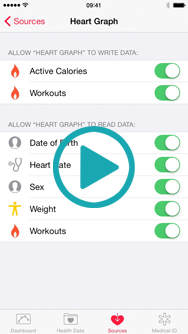
  • Import heart rate data for Workouts from the Health app. This feature provides support for the Apple Watch by allowing you to import, view and analyse heart rate data after your workout is completed
  • Import heart rate data for arbitrary time periods from the Health app. For example you can import an entire day of heart rate data from your Apple Watch or other Health enabled sensor
  • Now use Heart Graph to record your resting heart rate – just lie back, relax, and let the app record your minimum heart rate over a period of up to 10 minutes
  • Added help within the app (iPhone only) for new users getting started with Heart Graph
  • When using a Planned Workout, you can now see details of the next set coming up shortly after the previous one is complete, rather than waiting for the 10s countdown
  • Added the ability to change audio settings in the middle of a workout
  • Increase range of audio rep counting slider sensitivity
  • Minor bug fixes and enhancements

For more details, please see our press release.

Heart Graph v3.8.1 released

Heart Graph v3.8.1 is now released – please let us know what you think!

New features include:

  • Heart rate zone alarms: now you can have an audible alert for whenever your heart rate moves up or down a zone
  • New option to smooth the heart rate graph displayed – more smoothing is applied when zoomed out to see global trends; the smoothing is reduced as you zoom in to show more details
  • All alert sounds are now also played when the app is in the background or the screen is locked
  • Get the most from Heart Graph with our tutorial videos, which are now linked from app settings
  • Duration of your workout is now displayed in landscape mode on the iPhone and iPod touch
  • We’ve added a new In-App-Purchase for supporting ad-free software
  • Fix crash that could occur when recording very long workouts in the background
  • Minor bug fixes

創建參考組

心率記錄圖使用一小段標準「參考組」練習幫助你合理地比較不同運動。在運動開始時的參考組練習心率可作為基準進行持續比較,在運動結束前的參考組心率可提示此次運動對自身產生的效果。此教程為你演示如何創建心率圖基準與以後的運動比較。CreateReferenceSet_zh_Hans

创建参考组

心率记录图使用一小段标准“参考组”练习帮助你合理地比较不同运动。在运动开始时的参考组练习心率可作为基准进行持续比较,在运动结束前的参考组可提示此次运动对自身产生的效果。此教程为你演示如何创建心率图基准与以后的运动比较。CreateReferenceSet_zh_Hans

Creating reference sets

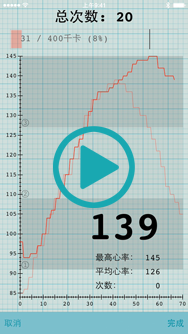
Heart Graph uses a short, standard “reference set” to help fairly compare workouts. Your heart rate from a reference set at the start of every workout provides a constant baseline, while a reference set at the end of the workout can suggest how much impact that workout has had on your body. This tutorial shows you how to create the baseline heart rate graphs to compare future workouts against.Create-Reference-Set-(en)